EverGIS Online
A universal geospatial platform for professionals, enthusiasts, and beginners
My roles:
Company:
Everpoint
timeline:
2018-2021
results:
+8,5%
SUS score improved from 72.7 to 78.9 following UX research

Used in training cartography students at leading universities

The platform serves corporate projects across the oil & gas, banking, and telecom industries



Context and objectives
In the GIS market, we noticed a gap. There were two types of products:
- Professional GIS: feature-rich but extremely complex to learn and typically very expensive
- Simple free online editors like Google Maps: very limited functionality
We decided to develop a product targeting the mid-market segment: capable of handling most common geoinformation tasks while remaining easy to use.
goals:
- Develop a consumer-focused B2C product to fill a gap in the market
- Use the product to engage and acquire corporate customers
Preliminary research
Our first step was an in-depth market analysis. We highlighted the key pros and cons of current products, mapped out their functionality, and identified customer pain points that our solution could solve.
Next, we conducted audience research. We identified the key user groups and defined the unique value of the product for each of them
After that, we engaged with the audience:
- Distributed surveys among students at relevant universities
- Conducted face-to-face interviews with GIS professionals and industry users
We then defined several core use cases, typical for most GIS tasks, and created JTBD-style descriptions for each.
Design and Development
Armed with user research and a clear product concept, we moved on to designing the information architecture, aiming to answer these key questions:
- What is the structure of the system’s core entities: data, layers, and maps?
- How will collaborative editing and the permissions system function?
- How will the system handle data import and export of work results?
- Along with many additional questions uncovered during the design process
Many of these issues had already been solved in existing GIS platforms. Some solutions were product-specific, while others were standard practice. Our approach was to follow traditional solutions where possible to provide familiarity for experienced GIS users, while introducing our own innovations in selected areas to give the product unique advantages.
After establishing the system’s information architecture, we began designing the interface: both its structure and visual aspects. Most of the UI components were already available from the EverGIS UI project, which greatly facilitated our work.
The app features a typical GIS layout: a layers panel on the left and a spacious interactive map on the right, including the option to view objects in a table.

The app first provided essential GIS capabilities:
- Map visualization of spatial objects
- Base map selection
- Data import
- Attribute and geometry editing
- Object creation, duplication, and deletion
- Customizing object display
- Measuring distances and areas on the map
Over time, more advanced tools were introduced:
- Attribute-based symbol classification
- Editable table views of data
- Attribute field management
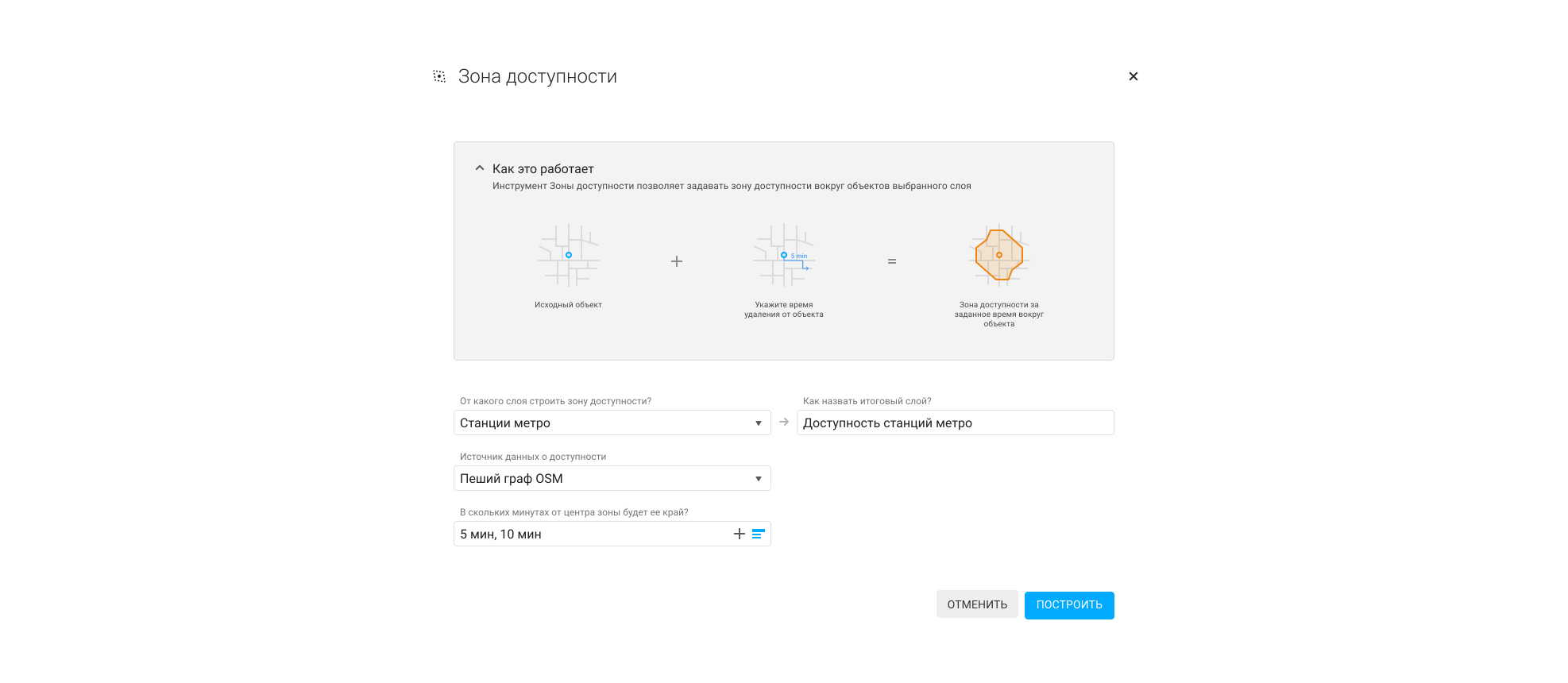
- Geo-analytical tools
- Object aggregation into grids and clusters
- Integration with external data sources
All of these features allowed users not only to work with existing data but also to synthesize new information from it to solve applied tasks.



Brand Identity & Social Media
Next on the list we took on branding. While the product’s positioning and value were defined during initial audience research, the visual identity, including name, logo, and color scheme, still needed to be created.
The working title was initially chosen as "EverCloud," after which I started designing the logo using combined visual associations.





The name was later changed to "EverGIS Online," but the logo concept developed for the previous name was retained, as it conveyed the desired associations and meanings.
For a successful app launch, we needed active promotion, including managing company social media profiles, posting in specialized groups, and preparing email campaigns. I handled both the creation of visual content and the day-to-day account management.


User testing and refinement
Some time after releasing the first version of EverGIS Online, we decided to check whether the product turned out the way we wanted. We wanted to see whether it solved the intended tasks, addressed users’ problems, and how convenient it was to use. To do this, we invited several people from each audience segment for UX testing.
We designed tasks for each user segment, reflecting the unique characteristics of their work process. For each segment, we prepared a separate set of tasks that reflected the specifics of that group’s work. While participants were completing the tasks, we closely monitored their actions:
- Where and what kind of challenges do users encounter?
- What was easiest for them?
- Which technical errors occurred?
At the end of the testing session, each participant was asked to complete a questionnaire using the SUS (System Usability Scale) methodology. The average score was 72.7. A score of 68 is considered the lower threshold for good usability, which means we can say that we managed to create a user‑friendly product.


As a result of the testing, we collected about 180 sticky notes, each containing information about a problem, an error, or a strong point of the product. We processed the sticky notes: classified them and accounted for duplicates (their number affects the final weight of a note).
To create a plan for product improvements, we used the RICE prioritization framework (Reach, Impact, Confidence, Effort). The evaluation was informed by our research results:
- Reach: Determined from audience segmentation and how often each problem occurred in different user segments
- Impact: Assessed based on sticky note classification and criticality notes
- Confidence: Evaluated using problem frequency, observed user behavior, and precedents from other GIS platforms
- Effort: Estimated by the development team based on implementation complexity
Throughout the year, we iteratively enhanced the application, and a subsequent SUS survey demonstrated a solid increase in usability, raising the score to 78.9
72,7
→
78,9
SUS score improvement after iterative, research-based enhancements
Results
+8,5%
SUS score improved from 72.7 to 78.9 following UX research

Used in training cartography students at leading universities

The platform serves corporate projects across the oil & gas, banking, and telecom industries
EverGIS Online continues to develop. It serves as a training tool for cartography students at MSU and other universities, and has supported the implementation of several large-scale projects in the oil & gas industry.
EverGIS Online has established Everpoint as a notable player in the GIS market for diverse users, while corporate clients have seen firsthand the company’s ability to create comprehensive, fully integrated solutions.
toshkent.pse@gmail.com
+381 677 635 491 (Viber)
+7 903 141 52 43 (Whatsapp)
+381 677 635 491 (Viber)
+7 903 141 52 43 (Whatsapp)
